

Service 02 · Build
Installation and commissioning
We take systems from containment to a working, documented handover: second fix, third fix, programming, integration and testing.
The stages of an installation
A low-current installation follows the building. Its stages overlap with other trades, so the order matters more than the speed.
- First fix: containment, conduits, sleeves through walls and slabs, back boxes and pole or bracket bases, done while walls and ceilings are still open.
- Second fix: cable pulling, labelling, termination and testing, then racks, patch panels and power supplies.
- Third fix: mounting cameras, readers, locks, intercom stations, speakers and other devices, once finishes are complete.
- Programming and integration: configuring recorders, controllers, servers and the links between systems.
- Commissioning and handover: witnessed tests, correction of defects, documentation and training.
On a refurbishment some stages merge, but none disappear. The same logic applies to a single villa and to a multi-building campus.
Second fix: cabling and containment

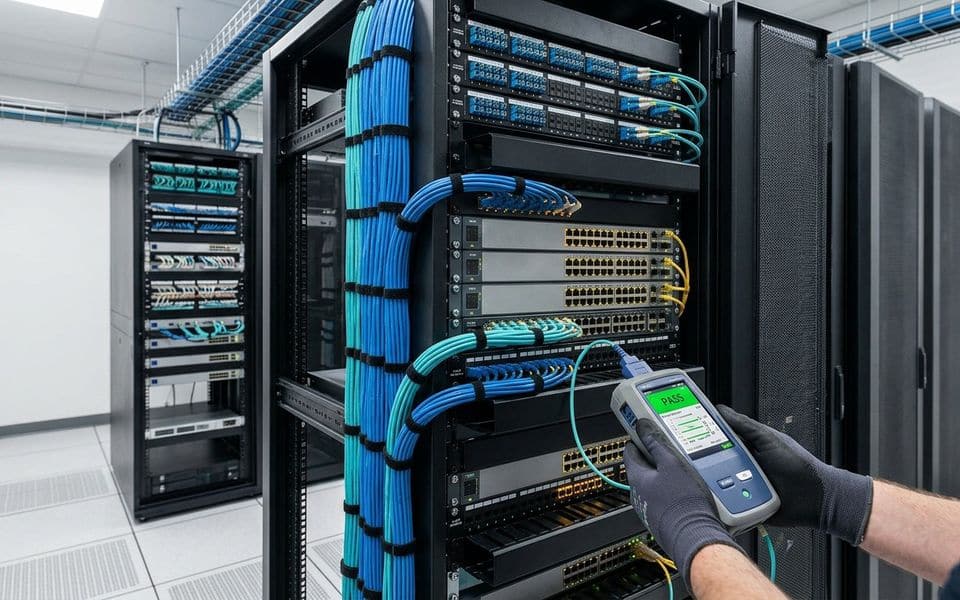
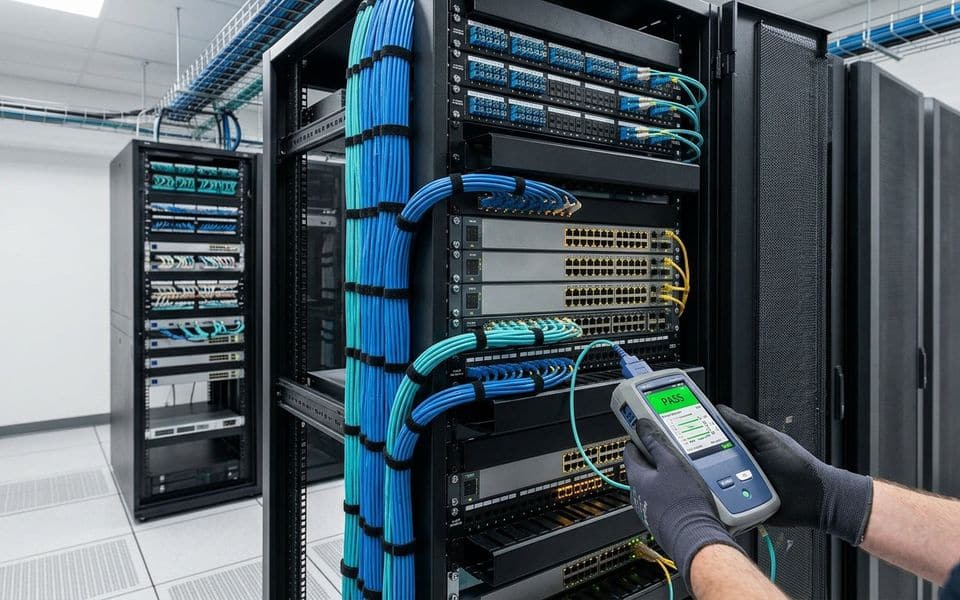
Second fix covers the infrastructure: cable pulling through containment, labelling at both ends, termination, and testing. Copper data cabling is certified with a cable tester against its category, and fibre is tested for loss. Results are recorded per link and handed over. Untested cable is the most common hidden fault we find when we take over systems installed by others.
We coordinate routes with other trades early. Security cabling sharing trays with power cables, or ending up above a ceiling that is later sealed, causes problems for years.
Third fix: devices and programming

Third fix installs and configures the devices: cameras aimed and focused against the agreed field-of-view plan, readers and locks set to their door schedule, panels programmed, recorders and servers configured, users and permissions created. Each device is entered in an asset register with its location, address, firmware and serial number.
Coordination with other trades
Most delays on low-current work come from what happens around it, not from the systems themselves. We deal with the usual points early:
- Civil and joinery: openings for cables, door frame preparation for locks and contacts, and glazing or turnstile bases.
- Electrical: a dedicated supply at each cabinet, earthing, and the separation between mains and low-voltage cables.
- Mechanical: ceiling space shared with ducts and pipes, and the cooling of equipment rooms.
- IT: switch ports, VLANs, IP addressing and who administers the network.
- Fire alarm contractor: release signals for doors and the dates for joint tests.
- Lifts and automatic doors: interface points, supplied by their own contractors.
We work from coordination drawings and ask for sign-off before ceilings and walls are closed. A short weekly list of open points with a name and a date against each does more than a long meeting.
Testing and commissioning

Testing proves the system does what the design said. Our commissioning covers:
- Every camera view checked against its required task, by day and at night where specified.
- Recording verified for the agreed retention, including a full playback and export test.
- Every door tested for normal operation, forced and held-open alarms, power loss behaviour and fire release.
- Alarm zones walk-tested and perimeter zones climb-tested.
- Integrations tested end to end: an access event opening the right camera, an intercom call releasing the right gate.
- Power failure tests on UPS-backed equipment.
The client or consultant is invited to witness. Results are signed and handed over.
Acceptance testing
Commissioning is our own check; acceptance is the client's. Both follow a test plan that is agreed before installation, drawn from the specification, so nobody argues about the criteria afterwards.
- The plan lists each test, the expected result and who witnesses it.
- Tests are run with the client or consultant present, and results are signed on the day.
- Defects go on a punch list with an owner and a date. Retests are recorded the same way.
- Integrations with other contractors, such as fire alarm release or building management, are tested jointly and not by assumption.
Acceptance is complete when the punch list is closed and the documents are delivered. Only then does the warranty period and the maintenance plan start, as the contract terms set out.
Documentation you receive
Documentation is part of the work, not an extra. The set we hand over normally includes:
| Document | What it is for |
|---|---|
| As-built drawings | Where every device, cable and containment run actually is, which can differ from the design |
| Cable schedule and test results | Label, route and measured result of every link |
| Asset register | Device, location, address, firmware and serial number |
| IP, port and VLAN schedules | What is connected where on the network |
| Configuration backups | Recovery of recorders, controllers and switches after a failure |
| Operation and maintenance manuals | Operating procedures, maintenance tasks and manufacturer documents |
| Commissioning and acceptance records | Proof of what was tested and the result |
Labels on the cable, the panel and the drawing use the same reference, so a technician can go from a drawing to a device without guessing.
Handover

Handover includes as-built drawings, the asset register, IP and port schedules, configuration backups, test records, manuals, and administrator credentials transferred to you securely. Operators and administrators are trained on their own system, not on a demo unit. From that point the maintenance plan starts.
Site discipline
We work to the site's safety rules and permits, keep work areas clean, protect finishes, and report progress in a format the main contractor or client can use. On occupied buildings such as hotels and hospitals, we plan noisy and disruptive work around operations.
Common installation mistakes
These are the faults we meet most often when we inspect work done by others, and the ones our own checks are built to catch:
- Cable run past its length limit or kinked at corners, then left untested.
- Low-voltage cables bundled with mains cables, causing noise and failing inspections.
- Cameras mounted where the view is blocked by a tree, sign or later partition, or aimed into the sun. See our note on pixel density for what a view must achieve.
- Electric locks fitted without checking the fail mode against the door's role. The note on fail-safe and fail-secure explains why this matters.
- Equipment room with no ventilation or no space left for growth.
- Default passwords left unchanged and administrator accounts shared.
- Power supplies without battery backup, or backup that was never tested. Where continuity matters, see UPS and power continuity.
- Labels missing, so the first fault becomes a search.
Safety and housekeeping
Safety is planned before work starts. We follow the site's induction, permit and isolation procedures, work at height only with suitable access equipment, and keep mains isolation separate from our low-voltage tasks. Tools, offcuts and packaging are cleared daily. Openings made in walls and slabs are sealed back to the original rating using the main contractor's approved method. In occupied buildings we protect people and finishes first.
Installation questions we hear often
Can you install a system that someone else designed?
Yes. We review the design first and raise gaps in writing before pricing. If the design is sound we build it as drawn.
Who supplies the equipment on site?
The scope states it per project. The equipment is delivered to the specification and the contract terms, checked on arrival and recorded in the asset register before it is installed.
Can you work in an occupied building?
Yes. Noisy and disruptive work is scheduled around operations, and areas are handed back clean at the end of each shift. Hotels, hospitals and offices are common examples.
What happens after handover if something fails?
Defects within the warranty period are corrected according to the contract terms. For long-term cover, the maintenance division takes over from the same asset register.
Do you install outside the big cities?
We work across Saudi Arabia: Riyadh, Jeddah, Dammam and Khobar, Makkah, Madinah and other regions. Travel, accommodation and access are planned in the scope.
The systems we install most are video surveillance, access control, intercom and Wi-Fi and wireless links. If you want the design done first, see design and consulting.
Manufacturers
Brands commonly specified in Saudi projects
- Hikvision
- Axis
- Cisco
- HID Global
- Eaton
Names belong to their owners. Listing a brand shows the systems we design around; it does not mean a partnership or a dealership.