

BLD-03 · Building technology, Pro AV & Cinema
Home cinema, acoustic treatment and meeting rooms in Saudi Arabia, engineered to perform
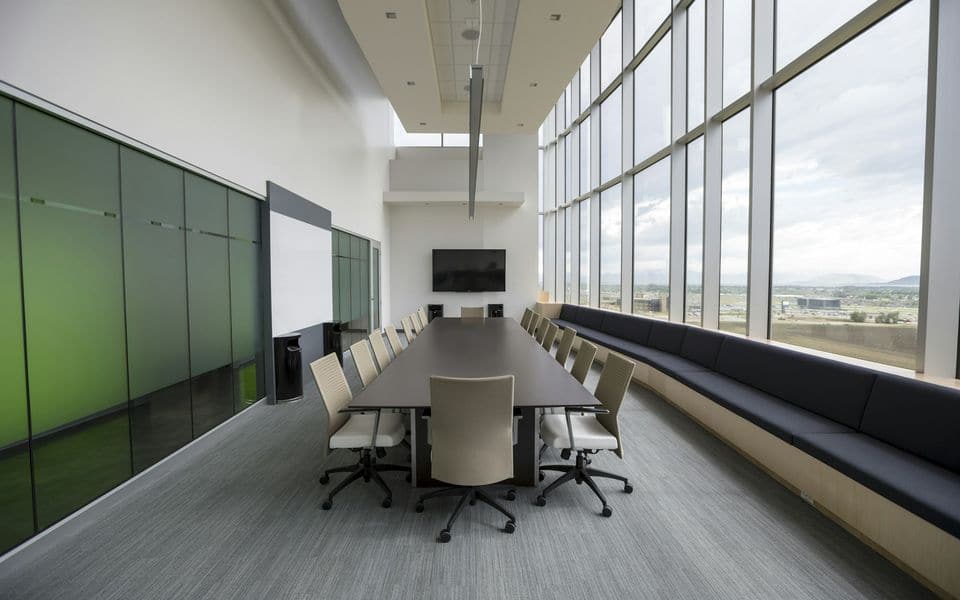
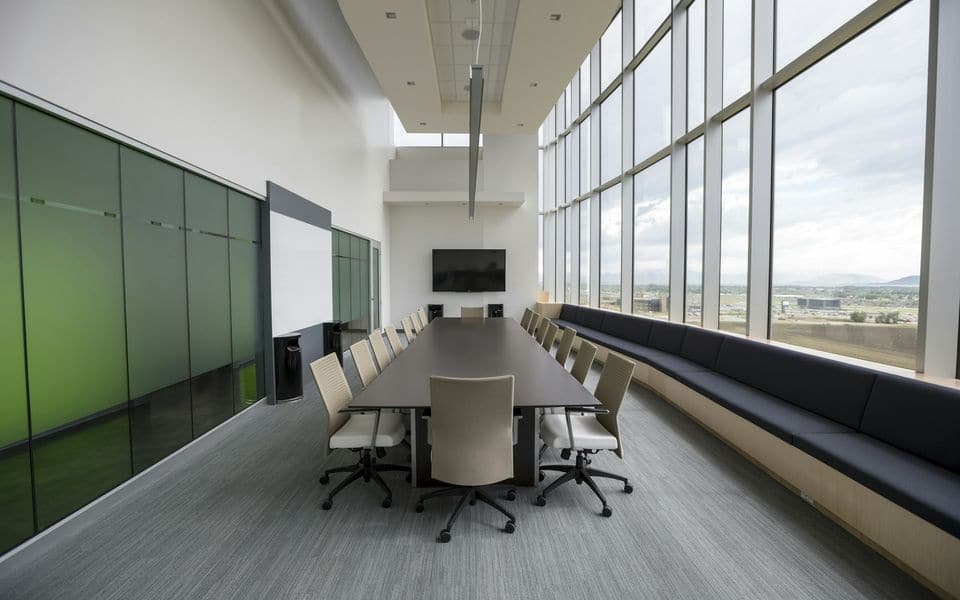
We design, install, calibrate and maintain executive boardrooms, private home cinemas and immersive listening rooms, and multipurpose auditoriums across Riyadh, Jeddah, Khobar and Saudi Arabia—built around one-touch simplicity and verified acoustic performance.
Design the room and its acoustics, not just the kit
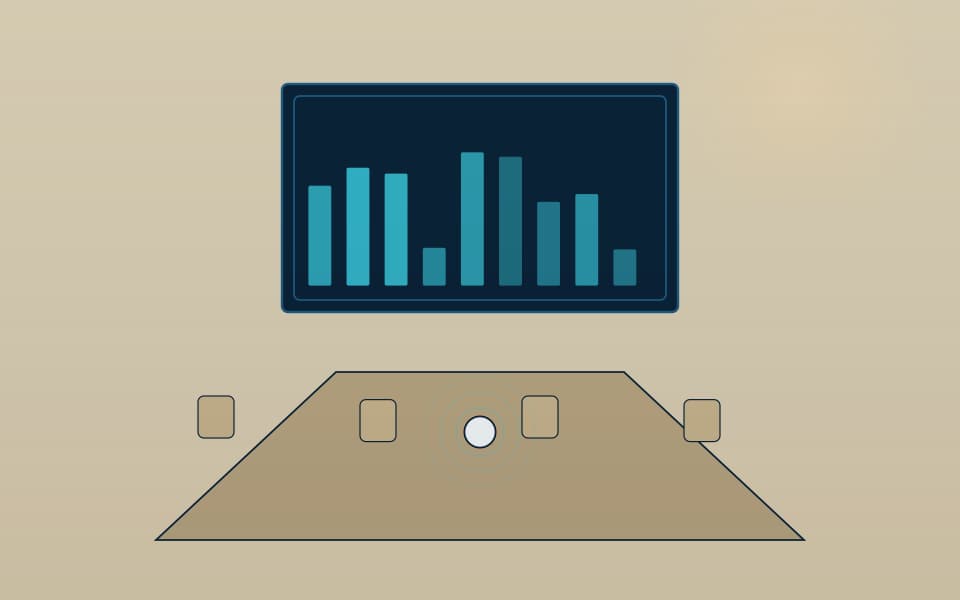
We start with how the space is used: seating geometry, participant count, conferencing platform (the video-conferencing service your organisation uses, wireless presentation from visitors' own laptops) and content sources. Display or LED wall sizing follows viewing distance and the smallest detail viewers need to read. Microphone strategy follows room acoustics—a glass-walled boardroom with a hard ceiling will defeat any microphone unless reverberation (RT60) is addressed with architectural acoustic treatment and properly tuned DSP acoustic echo cancellation (AEC).
Signal transport is engineered for distance and scale. HDBaseT carries uncompressed 4K video over a single structured cable up to 100 m, while AV over IP serves multi-floor towers and campuses over managed multicast networks. Unified touch panels replace clutter with a single intuitive interface.
Private home cinema and VIP screening rooms
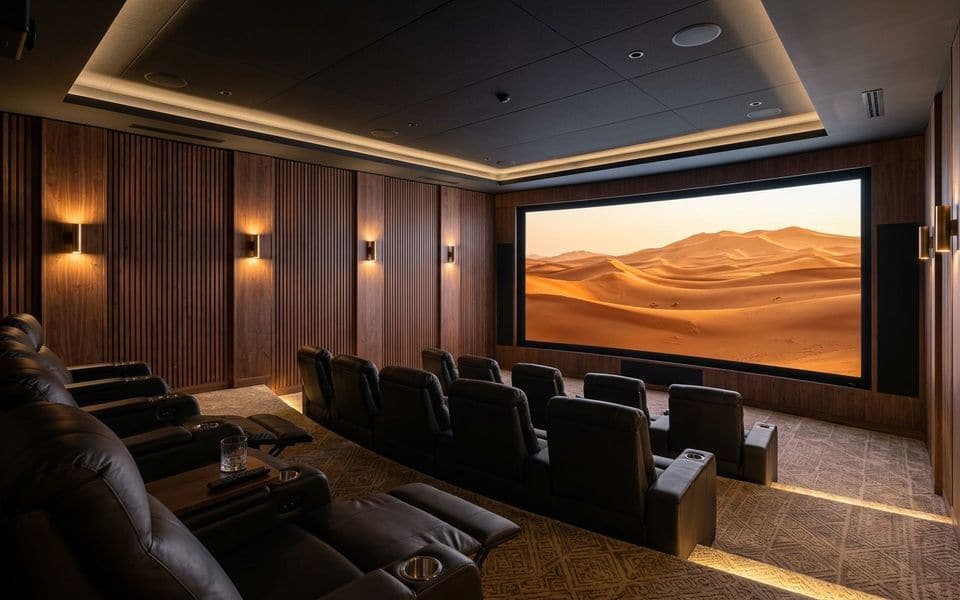
We engineer and build bespoke private cinemas and media rooms for palaces, luxury villas, residential compounds, five-star hotels and executive screening suites across Saudi Arabia:
- Immersive 3D audio (object-based, with height speakers): Calculated loudspeaker placement including behind-screen LCR arrays, architectural in-wall/in-ceiling surround channels and calibrated subwoofers driven by high-headroom AV processors and power amplifiers.
- Architectural Acoustics & Soundproofing: Acoustic isolation for walls, ceilings and doors to keep sound inside the theater, paired with fabric-wrapped absorption panels and timber diffusers tuned to eliminate standing waves.
- 4K/8K Laser Projection & MicroLED Screens: Ultra-quiet native 4K/8K laser projectors paired with acoustically transparent tensioned screens, or direct-view fine-pitch MicroLED cinema walls for reference HDR contrast.
- One-Touch Smart Cinema Automation: Integrated with KNX or the room control system so tapping “Cinema Mode” dims architectural DALI lighting and star-ceiling scenes, closes motorized blackout shades, adjusts HVAC and launches the screening automatically.
Hearing assistance (IEC 60118-4)
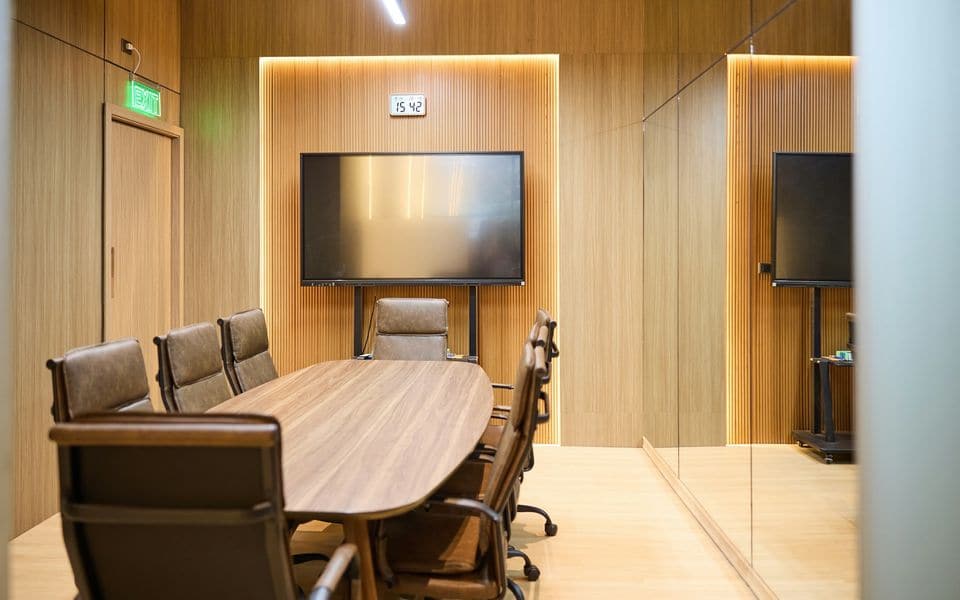
Audio induction loops allow hearing-aid users to receive clear sound directly through their telecoil without background noise. Performance is engineered and tested to IEC 60118-4 for magnetic field strength, frequency response and metal-loss compensation, using phased-array layouts where low spill into adjacent rooms is required.
Auditoriums, lecture theatres and multipurpose halls
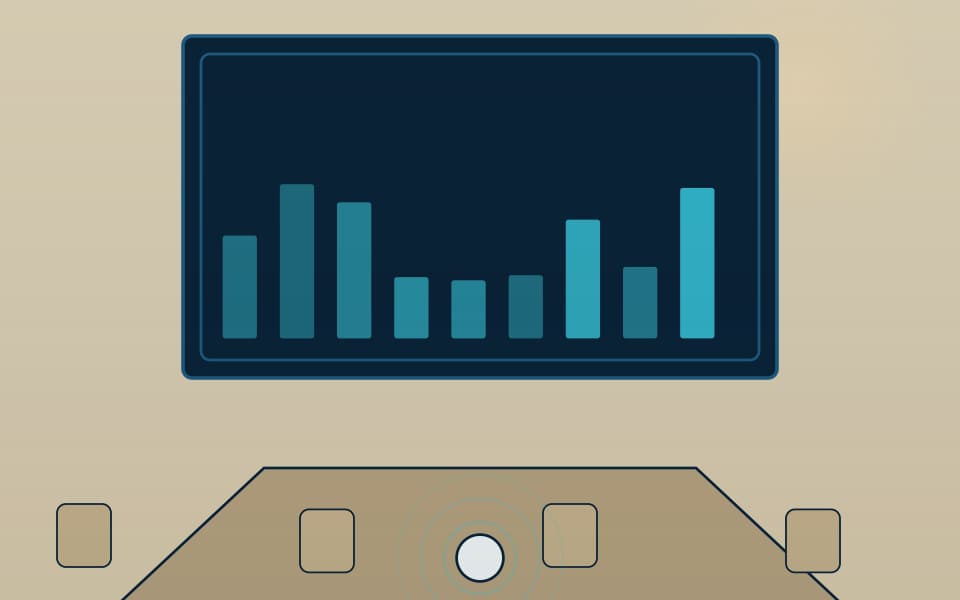
Large venues in ministries, universities, headquarters and hotels require acoustically modelled line-array sound reinforcement, large-format LED video walls or high-lumen laser projection, auto-tracking PTZ lecture cameras, live streaming, and digital conference/interpretation systems. We coordinate early with architects and MEP contractors on ceiling heights, sightlines, containment routes and rack room cooling.
How a room works from walk-in to finish
A well-designed room feels simple to the user because the complexity is hidden in the rack. Someone walks in, and the room control system wakes the displays and sets the lighting. The user connects a laptop by one cable, or shares wirelessly from their own device, and the switcher sends the picture to the display and the sound to the loudspeakers. If it is a video call, the camera frames the people in the room, the microphones pick up speech while the signal processor removes the echo and noise, and the conferencing PC or codec carries the call. At the end, one button powers everything down. A panel outside the door can show the room's booking status.
That one-touch behaviour comes from engineering and programming, not from the equipment itself. The same equipment badly programmed gives rooms that nobody wants to use.
Main parts and what each does
| Part | What it does |
|---|---|
| Display, projector or LED wall | Shows content, sized to the viewing distance and the ambient light |
| Loudspeakers and amplifier | Even speech and program sound across the seats, with room for music or video where needed |
| Microphones | Ceiling arrays, table units or lecterns, chosen for the room acoustics and seating layout |
| Camera | Fixed wide-angle or tracking cameras that frame speakers for remote participants |
| Signal processor (DSP) | Echo cancellation, noise reduction, level and equalisation |
| Switcher or AV-over-IP encoders | Routes laptops, room PC and wireless presentation to the right display |
| Conferencing PC or codec | Runs the video-conferencing service your organisation uses |
| Room control system and touch panel | Powers, selects sources, sets lighting and shades, and logs faults |
| Rack, power and cooling | A ventilated rack, surge protection and a UPS where sensitive equipment lives |
What each type of room needs
Trying to fit every room to one template is the commonest reason AV projects disappoint. These are the starting points we use.
| Room type | Typical needs | Watch out for |
|---|---|---|
| Huddle room (2 to 6 people) | One display, an all-in-one bar or a camera and speakerphone, wireless sharing | Small rooms are echoey; add absorption before spending on microphones |
| Meeting room (8 to 16 people) | One or two displays, ceiling or table microphones, a camera, a touch panel | Glass walls and hard ceilings; long tables that need extra microphone coverage |
| Boardroom | Large displays or LED wall, discreet table and ceiling microphones, a conferencing camera, concealed cabling | The finish and furniture design must be agreed with the interior team early |
| Training or divisible room | Sound and displays that join or split with the partition, recording and a presenter lectern | Partition sensing and separate control states for combined and split modes |
| Auditorium or hall | Line-array or distributed sound, projection or LED, live streaming, interpretation | Acoustic modelling, sightlines, rack room cooling and containment routes |
| Home cinema | Acoustic isolation, immersive audio, laser projection or LED, automation | Room construction comes first; equipment cannot fix a room that leaks sound |
Choosing how pictures and sound travel
| Direct cable (HDMI) | HDBaseT | AV over IP | |
|---|---|---|---|
| Best for | Short runs in a single room | Point-to-point or small matrix across one floor | Multi-room, multi-floor and campus systems with many sources |
| Distance | A few metres | Up to about 100 m per run | Anywhere on the network |
| Flexibility | None; fixed point to point | Good with a matrix switcher | Highest; any source to any screen by software |
| Cabling | Heavy cable that is easily damaged | One network cable per end device | Standard network cabling and switches |
| Watch out for | Cable length limits and connector wear | Cable quality and termination | Needs a managed multicast network and the agreement of the network team |
Planning figures for sizing
Starting points for the design stage, to be confirmed against the room and equipment data.
- Screen size: the farthest viewer should sit within about six times the screen height for detailed content such as spreadsheets and drawings, and up to about eight times for video.
- LED wall pixel pitch: as a rule of thumb, the nearest viewer should be at least as many metres away as the pixel pitch in millimetres. A 2.5 mm wall suits viewers 2.5 m or more away.
- Reverberation: a meeting room performs well with an RT60 of around 0.4 to 0.6 seconds. Hard rooms often exceed one second and need treatment.
- Background noise: air-conditioning noise in a meeting room should stay at or below about 35 to 40 dB(A), otherwise microphones work harder and speech suffers.
- Microphone coverage: one ceiling or table microphone zone for every few seats, with overlap between zones, set from the manufacturer's coverage pattern.
- Rack space and heat: leave 20 to 30 % spare rack space and size cooling from the heat the equipment gives off, since a closed AV cupboard becomes the first thing to fail.
- Immersive audio: a home cinema adds roughly two to four height speakers to a 5.1 or 7.1 base layout, positioned from the room geometry.
Integration with the other systems
- Network and Wi-Fi: wireless presentation, video calls and AV over IP all depend on the data network, see Wi-Fi and wireless links.
- Public address: in halls and lobbies the room sound can be muted or linked to the public address system.
- Digital signage and TV: lobby screens and hotel TV can share a platform with the room displays, see IPTV and hospitality TV.
- Home automation: in villas, cinema scenes tie into the lighting, shades and air-conditioning, see smart home and villa low-current.
- Telephony: conference phones and soft phones connect through SIP, see IP telephony and PBX.
- Access and security: door panels, room booking and recording policy are coordinated with access control.
- Power: racks sit on a UPS so a short outage does not interrupt a meeting, see power continuity.
Commissioning and handover checklist
- Every source reaches every display, and the picture is checked for resolution and colour.
- Sound is walked through all seats with a test signal, and levels are recorded.
- Echo cancellation is tested with a real call, with a person at the far end.
- Microphones and cameras are checked for coverage at the farthest seats.
- The one-touch start-up and shutdown run without error from cold.
- Wireless presentation is tested from the devices your staff use.
- Induction loop field strength and frequency response are measured to IEC 60118-4 where fitted.
- The room restarts correctly after a power cut.
- Handover includes a one-page user guide in each room, as-built drawings, the programming files, passwords and training for users and support staff.
Common mistakes and how to avoid them
- Buying equipment before treating the room: no microphone fixes a room with a long echo. Fix the acoustics first.
- Too many buttons: a control panel with every option confuses users. Provide start, source, volume, mute and end, and hide the rest.
- Different control layouts in every room: users must relearn each one. Standardise the interface across the building.
- Forgetting the network: video calls and AV over IP fail on a congested network. Include IT from the first meeting.
- Hidden cables with no access: any failed cable then means opening the wall. Leave spare conduit and accessible boxes.
- No support plan: one failed cable can stop an important meeting. Agree response expectations and spare parts before the first event.
Maintenance and testing
Meeting rooms are judged by how rarely they fail in front of people. Under a maintenance contract we test every room on a schedule, clean filters on projectors, check lamps and laser hours, update firmware and conferencing software in a planned window, and re-check microphone and speaker levels. Cinema rooms get a periodic re-calibration of sound and picture. Before a major event we run a full rehearsal with the venue team, and keep spare cables and adapters in the room so a simple failure does not become a cancelled meeting.
Our part, start to finish
What we do on a Pro AV & private cinema project
End-to-end engineering from acoustic layout and cabling to DSP calibration and preventive maintenance.
Engineering & acoustic design
- Sightlines, seating tiers and screen sizing
- Immersive-audio speaker layout and acoustic treatment
- Signal transport (AV over IP / HDBaseT) & rack design
- Smart lighting, shade and room control scenes
Installation & calibration
- Structured cabling, acoustic panels and concealed speakers
- 42U AV rack dressing, DSP and amplifier commissioning
- Audio-visual calibration (DSP / AEC / HDR projection)
- Touch panel programming (KNX and room control)
- Induction loop measurement to IEC 60118-4
Maintenance
- Scheduled PPM checks for boardrooms and cinemas
- Firmware, codec and conferencing platform updates
- Acoustic and projector re-calibration
- Priority engineering support ahead of VIP events
Before you buy
Questions we settle at survey stage
These decide real-world performance and budget far more than the logo on the box.
- Is the space a dedicated private home cinema, an executive boardroom, or a divisible multipurpose hall?
- How many seats and tiers, and what is the viewing distance from the front and back rows?
- What are the walls, floor and ceiling constructed from, and is sound isolation required?
- Do you want unified one-touch control over lighting, motorized shades, HVAC and AV?
- For meeting rooms: which video-conferencing service is standard across your organisation?
- Do you require recording, live streaming, or IEC 60118-4 hearing assistance?
Frequently asked questions
Can we use whichever video-conferencing service we already have?
Yes. We design the room around the service your organisation uses, and choose a conferencing PC or codec that is supported by it. If you use more than one service, we design for the one most used and add the others by guest connection.
Why do people on the far end say they cannot hear us?
Usually the room echoes, the microphones are too far from the speakers or the echo canceller is not tuned. We measure the room and tune the processor before changing any hardware.
Is wireless presentation reliable enough?
Yes, if the Wi-Fi in the room is designed for it. We still leave a wired input at the table as a backup, because it costs little and saves a bad moment.
How much does a home cinema depend on the room?
Very much. Wall construction, the ceiling and the floor decide how much sound escapes and how clean it is inside. The room design therefore starts the project, and equipment follows once the geometry and isolation are agreed.
Can one system serve a hall that divides into two?
Yes. A partition sensor tells the control system whether the room is joined or split, and the sound, displays and microphones follow, so each half works as an independent room.
When should the AV designer join a building project?
At the concept stage with the architect and the services engineers. Ceiling heights, sightlines, cooling for the rack room and cable routes are far cheaper to settle on drawings than to change on site.
Works alongside
Related systems
Public address & background music
Zoned paging and architectural background audio.
Read more
Wi-Fi & structured networks
Surveyed Wi-Fi 6E and high-throughput multicast networks.
Read more
IPTV & hospitality TV
Channel distribution, digital signage and guest-room TV.
Read moreBLD-07Smart home
KNX, Zigbee and Matter for villas.
Read moreGallery
Pro AV, private cinema and meeting rooms in context
Illustrations and computer-generated renderings show typical arrangements, not our projects; photographs are credited on the credits page. Select an image to enlarge it.
In Riyadh and across Saudi Arabia
Home cinema and meeting-room AV installation in Riyadh, Jeddah and across Saudi Arabia
Home cinema installation in Riyadh, Jeddah and across Saudi Arabia with surround sound and room acoustic treatment, and boardroom audio-visual systems with displays, microphones, a camera for video calls and one-touch control, for villas, palaces and companies. We design and build home cinema and acoustic isolation with Dolby Atmos for private villa rooms, and professional meeting rooms.
Common questions
What does a home cinema room need?
A room that can be darkened, acoustic isolation and treatment, a screen or projector sized to the seating distance, and speakers placed by design. We calculate all of it before purchase.
Do you build meeting rooms for Teams and Zoom?
Yes, with microphones, a camera and a display that start with one touch, and the audio tested in the room before handover.
What room size suits a home cinema?
Practical rooms start at about 4×5 m, and the larger the room, the better the sound distribution. We set the design after measuring the room.
Can an existing room be sound-isolated?
Yes, by treating walls, ceiling and doors, with the result judged against the isolation level required.
What does a home theater system include?
A home theater system combines a screen or projector, surround audio, acoustic treatment and control, designed to the room. We design, install, calibrate and maintain it.
Manufacturers
Brands commonly specified in Saudi projects
- Crestron
- Extron
- QSC
- Shure
- Biamp
- Samsung
- LG
- Poly
Names belong to their owners. Listing a brand shows the systems we design around; it does not mean a partnership or a dealership.